Last updated: October 12, 2026
- Quick comparison: the picks at a glance
- Best overall: LG C-series OLED
- Best for bright rooms: mini-LED flagships
- Best value: Hisense U8-series and TCL QM8-series at 65 inches and up
- Spec targets worth paying for — and ones that are not
- How to choose: size and distance first, ports second
- Matching your situation to a pick
- Ownership realities: what wears out, and what to check before you buy
- Frequently Asked Questions
A 65-inch LG C-series OLED is the best Cyber Monday gaming TV deal for most people in 2026: it pairs four full-bandwidth 48 Gbps HDMI 2.1 ports with roughly 9–13 ms of input lag at 4K/120 Hz in Game Mode, 4K/144 Hz VRR support, and — per LG’s published spec sheet — around 700–900 nits of peak HDR brightness on a small window. If your room is bright during daytime play, a mini-LED flagship from Samsung’s QN90 series, TCL’s QM8 series, or Hisense’s U8 series is the smarter buy, because those panels hold 2,000–5,000 nits peak and shrug off window glare that makes an OLED look flat and gray.
Quick comparison: the picks at a glance
| Pick | Best for | Key gaming specs | Typical Cyber Monday range |
|---|---|---|---|
| LG C-series OLED (55″–83″) | Best overall for most rooms | 4K/144 Hz, 4× HDMI 2.1 (48 Gbps), ~9–13 ms at 4K/120, ~800 nits peak | 55″: $1,000–1,300 · 65″: $1,300–1,700 |
| Samsung S90/S95 QD-OLED (55″–77″) | Best color in a mixed-light room | 4K/144 Hz, 4× HDMI 2.1, ~9–11 ms at 4K/120, ~1,000–1,600 nits peak | 55″: $1,100–1,400 · 65″: $1,600–2,100 |
| TCL QM8-series mini-LED (65″–98″) | Best bright-room value, big screens | 4K/144 Hz, 2× HDMI 2.1, ~3,000–5,000 nits claimed peak | 65″: $900–1,300 · 75″: $1,400–1,900 |
| Hisense U8-series mini-LED (55″–85″) | Best budget path to a 65″+ panel | 4K/144 Hz on one port, 2× HDMI 2.1, ~2,500–3,000 nits peak | 65″: $800–1,100 · 75″: $1,200–1,600 |
| Sony Bravia 8-series OLED (55″–77″) | Best processing and motion handling | 4K/120 Hz, 2× HDMI 2.1, ~10–14 ms at 4K/120, ~1,000 nits peak | 55″: $1,300–1,600 · 65″: $1,800–2,300 |
Best overall: LG C-series OLED
No other line gets the port situation this right. LG has shipped four full 48 Gbps HDMI 2.1 inputs on the C-series for several generations, which means you can run a PlayStation 5, an Xbox Series X, a gaming PC, and an eARC soundbar simultaneously without ever swapping cables or dropping a device to 60 Hz. Independent lab measurements consistently place its Game Mode input lag in the 9–13 ms band at 4K/120 Hz — well under the roughly 16 ms (one frame) threshold where most players stop noticing delay.

Amazon Ember 55" Mini-LED Series with Fire TV (newest model), QLED 4K UHD smart TV, Dolby Vision IQ, 144hz gaming mode, Ambient Experience, find shows faster with Alexa+
Included for 'Best Cyber Monday Gaming TV Deals' because the listing specifies QLED 4K UHD smart TV and Dolby Vision IQ, details this guide uses to compare options.
View on Amazon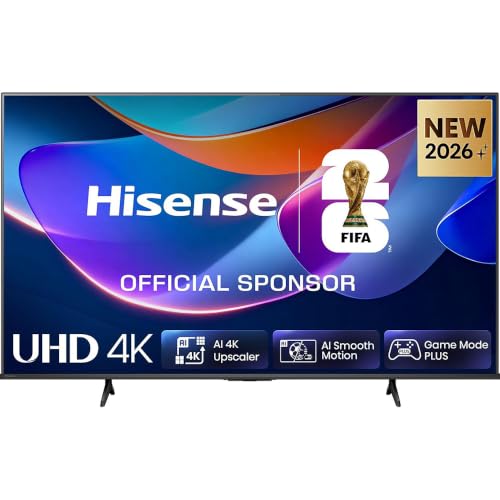
Hisense 50" A6S 4K UHD Smart LED TV with QLED Color, Dolby Vision & VIDAA
Included for 'Best Cyber Monday Gaming TV Deals' because the listing specifies Dolby Vision & VIDAA, details this guide uses to compare options.
View on Amazon
Sony OLED 65 inch BRAVIA XR A80L Series 4K Ultra HD TV: Smart Google TV with Dolby Vision HDR and Exclusive Gaming Features for The PlayStation® 5 XR65A80L- 2023 Model,Black
Included for 'Best Cyber Monday Gaming TV Deals' because the listing specifies Black, details this guide uses to compare options.
View on AmazonWho it suits: anyone with two or more current-gen consoles, a PC, and a room that can be dimmed. Main trade-off: brightness and burn-in risk. A static HUD element left on screen for hundreds of hours is the classic OLED failure mode, and a sunlit room will wash the picture out in a way a mini-LED never does.
Best for bright rooms: mini-LED flagships
If your TV faces a window, brightness beats contrast. TCL’s QM8 series and Hisense’s U8 series both use quantum-dot mini-LED backlights with hundreds of local dimming zones, and both claim peak brightness in the thousands of nits on small HDR windows — TCL’s own spec sheet for the QM8 line quotes figures up to 5,000 nits, while Hisense’s U8 line lands around 2,500–3,000 nits. In practice, a 10% window measurement in the 1,500–2,500 nit range is what you will actually see, which is still two to three times what any OLED can sustain.
The catch is ports. Both lines typically give you only two HDMI 2.1 inputs, and on some Hisense models only one of them runs at 144 Hz. If you own three 4K/120-capable devices, plan on an HDMI 2.1 switcher or accept that one console lives at 4K/60. Blooming around bright objects on dark backgrounds is the other known trade-off, and it gets worse as you sit further off-axis.
Best value: Hisense U8-series and TCL QM8-series at 65 inches and up
Cyber Monday is where the 75-inch tier collapses in price. A 75-inch mini-LED that lists near $1,800 for most of the year has historically landed in the $1,400–1,900 band during the late-November window, and the 65-inch versions in the $800–1,300 band. That is roughly half the cost per diagonal inch of a comparable OLED.
Who it suits: family rooms, wide seating arrangements where people sit 15–25 degrees off-center, and anyone who games mostly during daylight. Main trade-off: viewing angles and black-level uniformity. Contrast falls off noticeably past about 30 degrees off-axis, so a long sofa row will see a dimmer picture at the ends than in the middle.
Spec targets worth paying for — and ones that are not
| Spec | Don’t bother below | Sweet spot | Why it matters |
|---|---|---|---|
| Input lag at 4K/60 | 20 ms | Under 12 ms | Above ~16 ms, camera movement in shooters feels disconnected |
| Input lag at 4K/120 | 15 ms | 9–13 ms | Consoles cap most 120 Hz modes here; PC players feel it more |
| Refresh rate | 60 Hz | 120–144 Hz | 144 Hz only helps PC; consoles top out at 120 Hz |
| HDMI 2.1 ports (48 Gbps) | 1 | 2–4 | Each 4K/120 device needs its own; eARC eats one |
| VRR support | None | HDMI VRR + FreeSync Premium | Kills tearing in unlocked-frame-rate modes; add G-Sync compatible for PC |
| HDR peak (10% window) | 600 nits | 1,000+ nits OLED / 2,000+ nits mini-LED | Determines whether specular highlights actually pop |
| Pixel response (OLED) | — | 0.1–0.3 ms | Near-zero motion blur; the reason OLED wins fast panning |
How to choose: size and distance first, ports second
Buy the biggest panel your seating distance supports, because immersion scales with viewing angle, not resolution. The SMPTE guideline for a 30-degree viewing angle works out to roughly 1.6× the diagonal in inches; THX’s more aggressive 40-degree recommendation lands near 1.2× the diagonal. Most gamers land in between.
| Screen size (16:9) | Relaxed distance (1.6× diagonal) | Immersive distance (1.2× diagonal) | Notes |
|---|---|---|---|
| 48″ | 6.4 ft | 4.8 ft | Desk-adjacent and small-room sweet spot |
| 55″ | 7.3 ft | 5.5 ft | Most common apartment size |
| 65″ | 8.7 ft | 6.5 ft | The volume seller; best price-per-inch |
| 77″ | 10.3 ft | 7.7 ft | Needs a genuinely large room |
| 83″ | 11.1 ft | 8.3 ft | Wall-mount territory; check stud spacing |
Worked example. Say you sit 8 feet (96 inches) from the screen. Dividing by 1.2 gives an 80-inch maximum; dividing by 1.6 gives a 60-inch minimum. A 65-inch or 77-inch panel both work — a 65-inch at that distance delivers about a 33-degree viewing angle, which is a comfortable middle ground for mixed film and gaming use.
Matching your situation to a pick
| Your situation | What to prioritize | Pick |
|---|---|---|
| Three or more 4K/120 devices | 4× HDMI 2.1, 48 Gbps each | LG C-series OLED |
| Window directly opposite the TV | 2,000+ nits peak, anti-glare coating | TCL QM8-series or Samsung QN90-series |
| Budget under $900, 65 inches | 120 Hz panel, at least 1× HDMI 2.1 | Hisense U8-series |
| Competitive shooters on PC | 144 Hz, 0.1 ms response, low lag | LG C-series or Samsung S90/S95 |
| Seating spans 8+ feet wide | Wide viewing angles | Any OLED over mini-LED |
| Wall-mounted above a fireplace | High brightness, low heat, slim depth | LG G-series OLED |
Ownership realities: what wears out, and what to check before you buy
- OLED burn-in. Static elements — health bars, minimaps, scoreboard overlays — are the main risk. Run the panel’s built-in pixel refresh when prompted and vary content. Most 2025–2026 models run a short compensation cycle automatically after roughly four hours of cumulative use.
- VRR flicker on OLED. Brightness can pulse in dark scenes when frame rate swings wildly. Capping frame rate or lowering brightness in SDR usually removes it.
- Mini-LED blooming. It cannot be fixed by settings, only reduced by dropping local dimming to a medium setting — which costs you contrast.
- Cables. 4K/120 with HDR needs a certified Ultra High Speed HDMI cable rated for 48 Gbps. A random older cable is the single most common cause of a black screen or a stuck 60 Hz signal.
- Cleaning. Dry microfiber only. Alcohol and ammonia-based cleaners attack the anti-glare coating on both OLED and mini-LED panels, and that damage is permanent.
- Cost per hour. A $1,500 TV used 10 hours a week for five years works out to about $0.58 per hour. Stretching to a better panel rather than a bigger mediocre one usually pays off in that math.
Frequently Asked Questions
Is 144 Hz worth paying extra for over 120 Hz?
Only if you game on a PC. Both the PlayStation 5 and Xbox Series X cap output at 120 Hz, so a 144 Hz panel buys you nothing there. On PC, 144 Hz gives smoother motion and a wider VRR window, but the jump from 120 to 144 is far less noticeable than the jump from 60 to 120.
Do I really need four HDMI 2.1 ports?
You need one port per device that must run 4K at 120 Hz, plus one for eARC if you use a soundbar. Two consoles plus a PC means three ports. If your TV has only two, a certified 48 Gbps HDMI 2.1 switcher costs far less than moving up a model tier.
Is OLED burn-in still a real problem for gaming?
It is much less likely than it was five years ago, but it has not disappeared. The risk rises with static HUDs, high brightness settings, and long sessions of the same game. If you play one competitive title for hundreds of hours at maximum brightness, a mini-LED is the safer long-term choice.
What size gaming TV should I buy for an 8-foot viewing distance?
At 8 feet, anything from 60 to 80 inches falls inside the standard viewing-angle range. A 65-inch panel is the safest pick, giving roughly a 33-degree viewing angle. A 77-inch works too if you prefer a more cinematic, immersive feel and mostly play single-player games.
Are Cyber Monday TV prices actually lower than Black Friday?
For current-year gaming models, Cyber Monday pricing has historically landed within a few percent of Black Friday lows — sometimes lower on the largest sizes, sometimes slightly higher on 55-inch sets that sell out early. The practical advice is to buy when the price hits your target rather than waiting for a specific day.
Will a cheap HDMI cable handle 4K at 120 Hz?
Not reliably. You need a cable certified for 48 Gbps (marketed as Ultra High Speed HDMI). Cables rated for 18 Gbps will typically fall back to 4K/60 or drop the signal entirely when HDR and VRR are enabled together. Buy the certified cable at the same time as the TV.